Create an impressive 3D page-turning digital book
Desktop Author sets out with an ambitious promise - to provide you with everything you need to publish your own eBook. Whether you want to create multimedia presentations, newsletters, photo albums or marketing infromation, the program aims to oblige.
Top Recommended Alternative
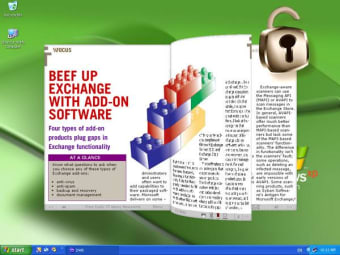
The published output is designed to be as true to a real book as possible, allowing the reader to flip the pages realistically by clicking on the right side of the page to move forward, and the left side to move back. Besides text, you can adorn the pages of your virtual tome with images, MPEGs and even Flash movies.
There are many slick looking magazines and books appearing on the web these days that are beginning to seriously compete with traditional print publications in terms of reader experience. Judging by some of the example files on the publisher's site, there's certainly a lot you can achieve with Desktop Author, considering you need no special knowledge or programming skills, as used by many of the Flash-built flip-page publications online today.
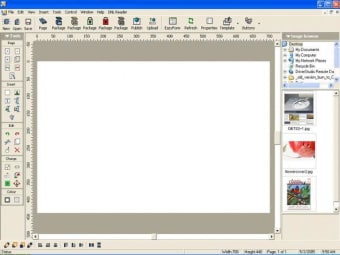
The GUI is loosely modelled on a traditional desktop publishing app, and although it lacks the range of tools of a heavyweight like InDesign or Quark, Desktop Author contains the standard features you'd expect in such an app, including snap-to guides, image insertion, text formatting and shape drawing.
Considering the program is supposed to be aimed at beginners, the interface is a little cumbersome to navigate at first. Of course, you get used to it, but perhaps the program would have benefited from a Properties Inspector displaying the information about the currently-selected item, allowing you to move, edit, resize, apply styles or just view data on the file in question.
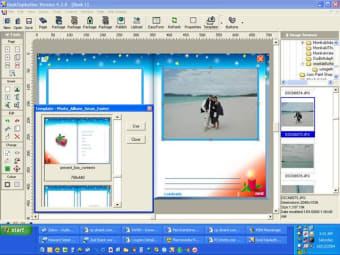
Having said this, there are a few useful tools that speed up the eBook creation process, such as the integrated (albeit basic) image editor, preset buttons to add to your pages, and a collection of built-in templates to get you started. This makes it possible to rustle up a decent looking book in just a few minutes. Of course, as with all creative applications, the more time you spend honing your skills the better the results will become.
Publishing your finished digital books is a matter of simply pressing the 'Publish' button and waiting for everything to be neatly packaged into a DNL file. This can take some time, and once it's done, you still need to install the DNL Reader provided by the developer. There is, however an option to package the eBook inside an executable file, which might be the best option to ensure everyone can read your words of wisdom.
The trial version only allows you to create two pages, but if you have the patience to overcome the slightly awkward toolset layout you'll be crying out for the functionality to add more, making the full version worthy of its $189 price tag.
Flow text between pages and text boxes Personalize the about box and right click menu Stream or Embed all Flash, WMP & QT Video, Audio & VR media Sell your eBook with our all-in-one DRM and Payment Gateway Launched eBrochures.com